
Quick start
Here are all the features of la Vitre
Start a conversation

Knock-knock
Knock on your Vitre to draw someone's attention or use the above icon

Translation
You don't speak the same language? Use the instant translation and transcription
👊 Over 60 available languages
Take a break or end the conversation

Hush mode
Tap once on this icon to mute both sides of la Vitre

Confidential mode
Double-tap or long-press this icon to mute and blur both sides of la Vitre
Navigate easily

Switch space
Tap and select to meet one or more Vitres from your company in another space
Or join an external space as a guest to collaborate with your partners
Collaborate live

Marker
Write, sketch or draw on la Vitre using the marker

Eraser
Correct what you wrote on the screen.
Double tap to fully clear the screen or to remove all the shared materials at once
Share your photos, videos, documents
or screen using the Companion app
- On your PC, go to lavitre.me and key in the code at the top-right corner of your Vitre
- With your phone or tablet, scan the QR Code at the top-right corner of your Vitre
You'll have to download the Companion app (lavitre.me) available on iOS and Android to share your phone's screen.
🤜 Once logged into the Companion, control your Vitre using your devices: knock, activate the Hush or Confidential mode, move shared media around...
Work together on your shared media

Control
Move items around with this icon and shrink or enlarge them with your fingers

Magic pen
Show important details with the magic pen available on all shared items
Take it up a notch with the available Apps
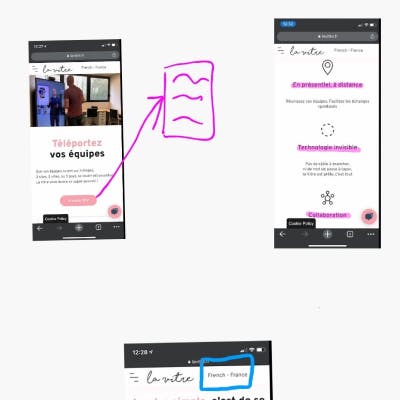
Whiteboard
Activate the Whiteboard using the three-dotted menu
on your shared files to edit them
or on your Vitre to open up a blank page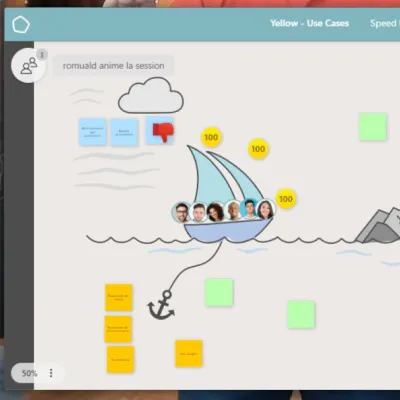
Yellow
Access your Yellow boards using the three-dotted menu of your Vitre