Create and manage API keys
✨ An API key lets a tool or a script act on your team without going through a person. The API Keys screen lists the team's keys: what each one can do, when it was last used, and when it expires.
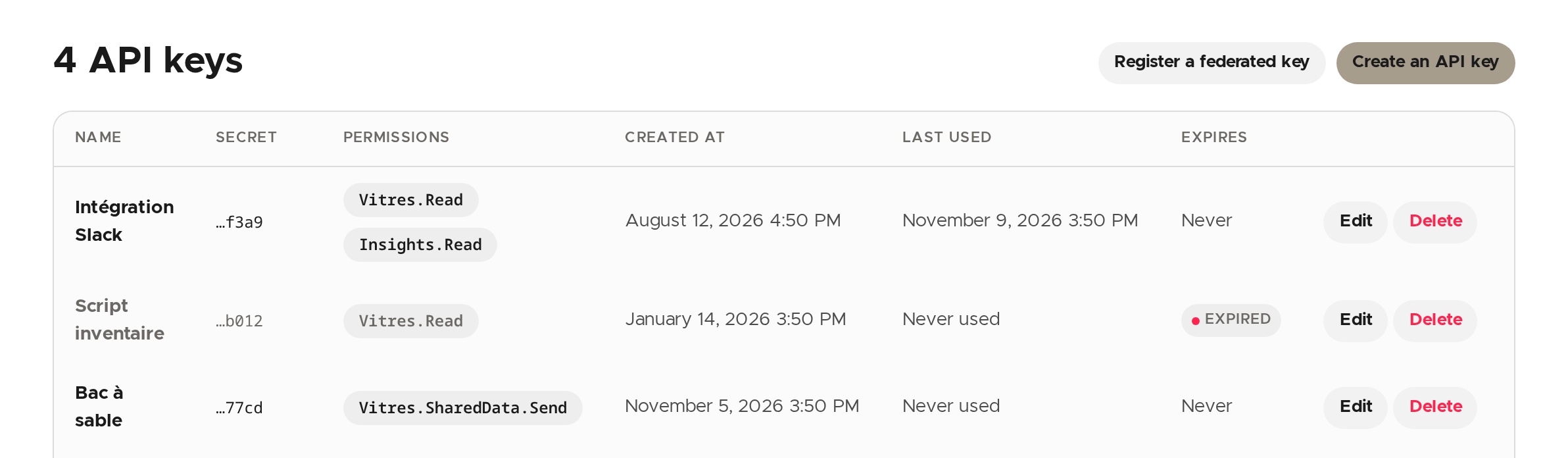
A key's secret is never shown again: the list only shows its end. An expired key stays listed, marked Expired.
Create a key
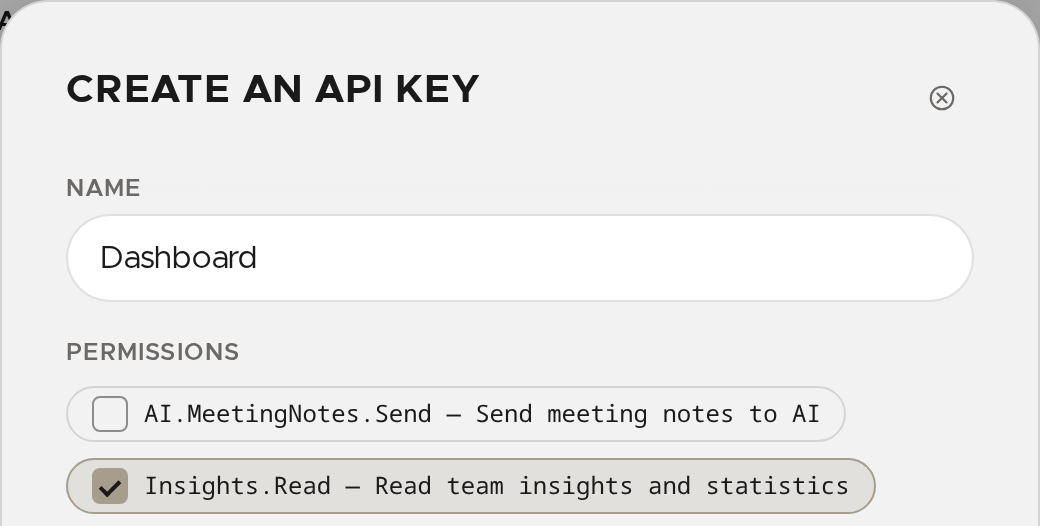
- Click Create an API key.
- Enter a Name that says what it is for.
- Tick its Permissions: at least one, and only those the tool needs.
- If you wish, restrict the key: one IP address or CIDR block per line in Allowed IPs, one origin per line in Allowed origins, and an Expiration date (optional). Without a date, the key never expires.
- Click Create.
Copy the secret
The secret is shown once, when the key is created. Click Copy, keep it where your tool will read it, then click Done.
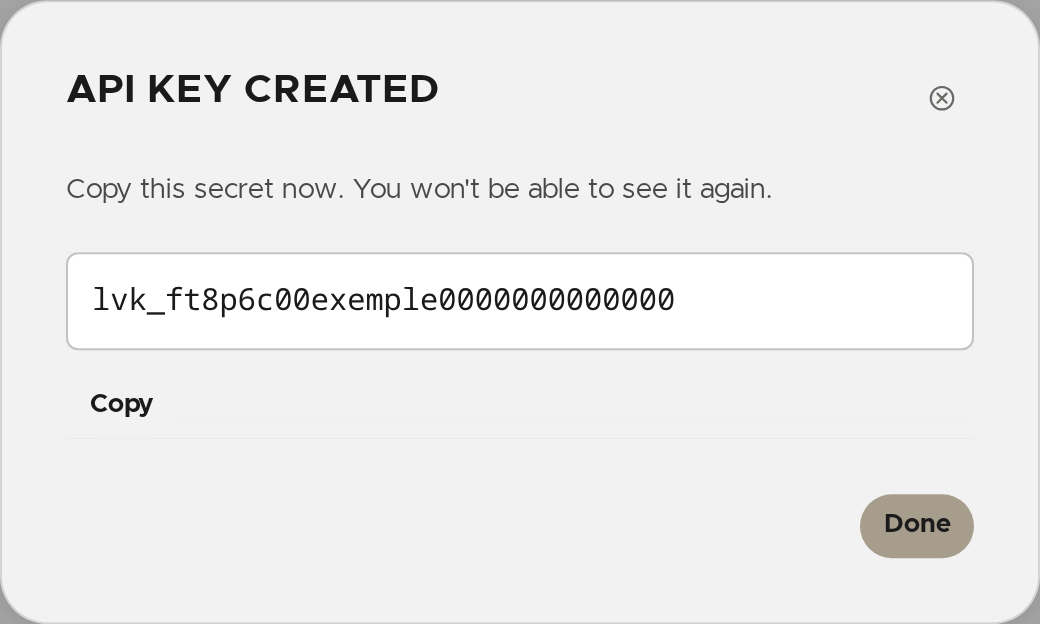
⚠️ If you lose the secret it cannot be recovered: delete the key and create a new one.
Edit a key
Click Edit on its row. You can change its name, its allowed IPs and origins, and its expiration date. Its permissions cannot be changed here: to change them, create a new key.
Delete a key
Click Delete on its row, then confirm. The tools that used it no longer have access to the team.
A key with no secret
Register a federated key creates a key that carries no secret: its holder presents a short-lived token signed by an issuer you name (for example your continuous-integration tool). You must require at least one value the token has to carry, otherwise anything the issuer knows about could use the key. These keys are marked Federated; their Trust button changes the issuer.
Connect an AI
To connect an AI assistant to la Vitre, see the page "Connect an AI to the la Vitre MCP": it explains which permissions to give (such as Team.Apps.Deploy) and how the assistant authenticates.
✨ Missing information?
This Help Center evolves with your needs.Let us know which terms, features, or use cases should be clarified, or contact support for personalized assistance.
Bringing you closer to what matters. We are enriching this resource together.