Understand why a connection failed
✨ The Connections screen lists the connections of the team's companions and Vitres: did they work, and if not, why. It is where to look when someone says "it won't connect". You need the
Team.ActivityLogs.Readpermission.
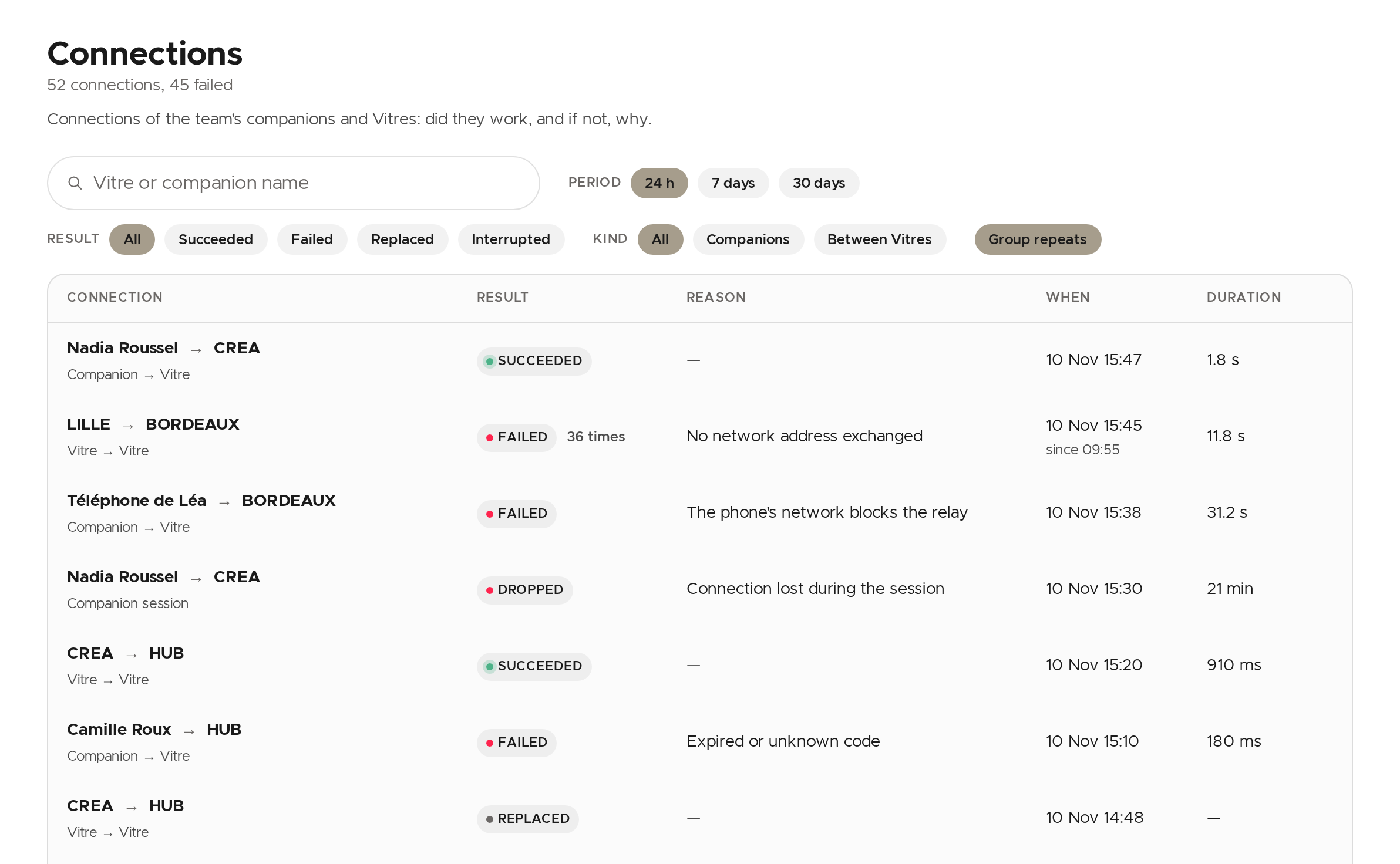
Each row says who connects to whom, the result, a one-sentence reason when the connection failed or was cut, then the date and the duration. The last 24 hours show first.
Find a connection
- Period: 24 hours, 7 or 30 days.
- Result: Succeeded, Failed, Replaced (given up in favour of a new attempt, not a failure) or Interrupted.
- Kind: Companions or Between Vitres.
- The search field filters on the Vitre or companion name, among the rows loaded.
Group repeats merges identical attempts that keep repeating into one row ("36 times"): a Vitre retrying in a loop does not bury the rest of the list. Click Clear filters to remove everything.
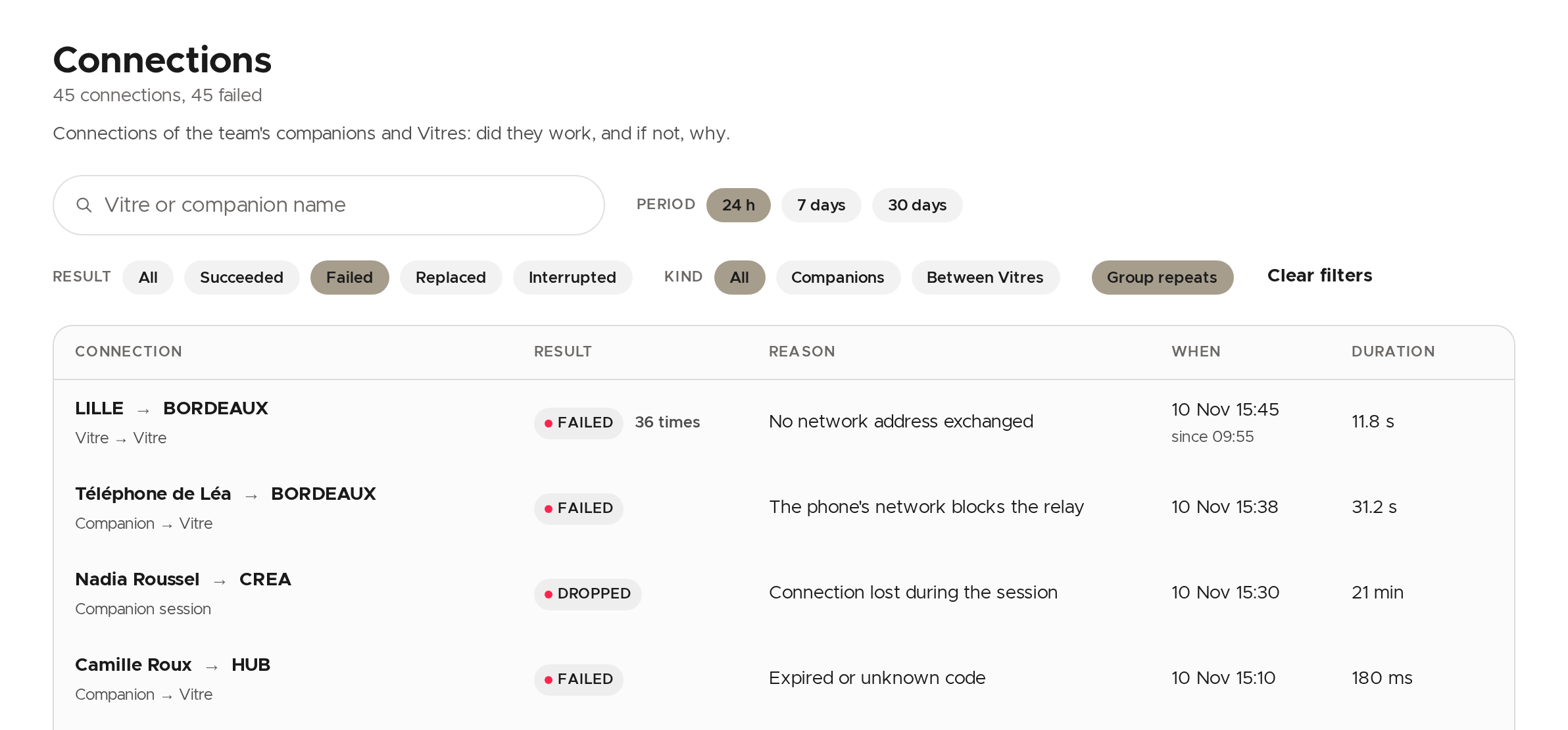
Dropped rows are not attempts: they are sessions that had been established and were then lost along the way.
Read why one failed
- Click the row.
- At the top of the window, the reason is followed by the Likely cause and what you can do about it.
- Further down, Steps shows how far the connection went (request received, Vitre online, addresses exchanged…), and Network details, side by side, what was offered.
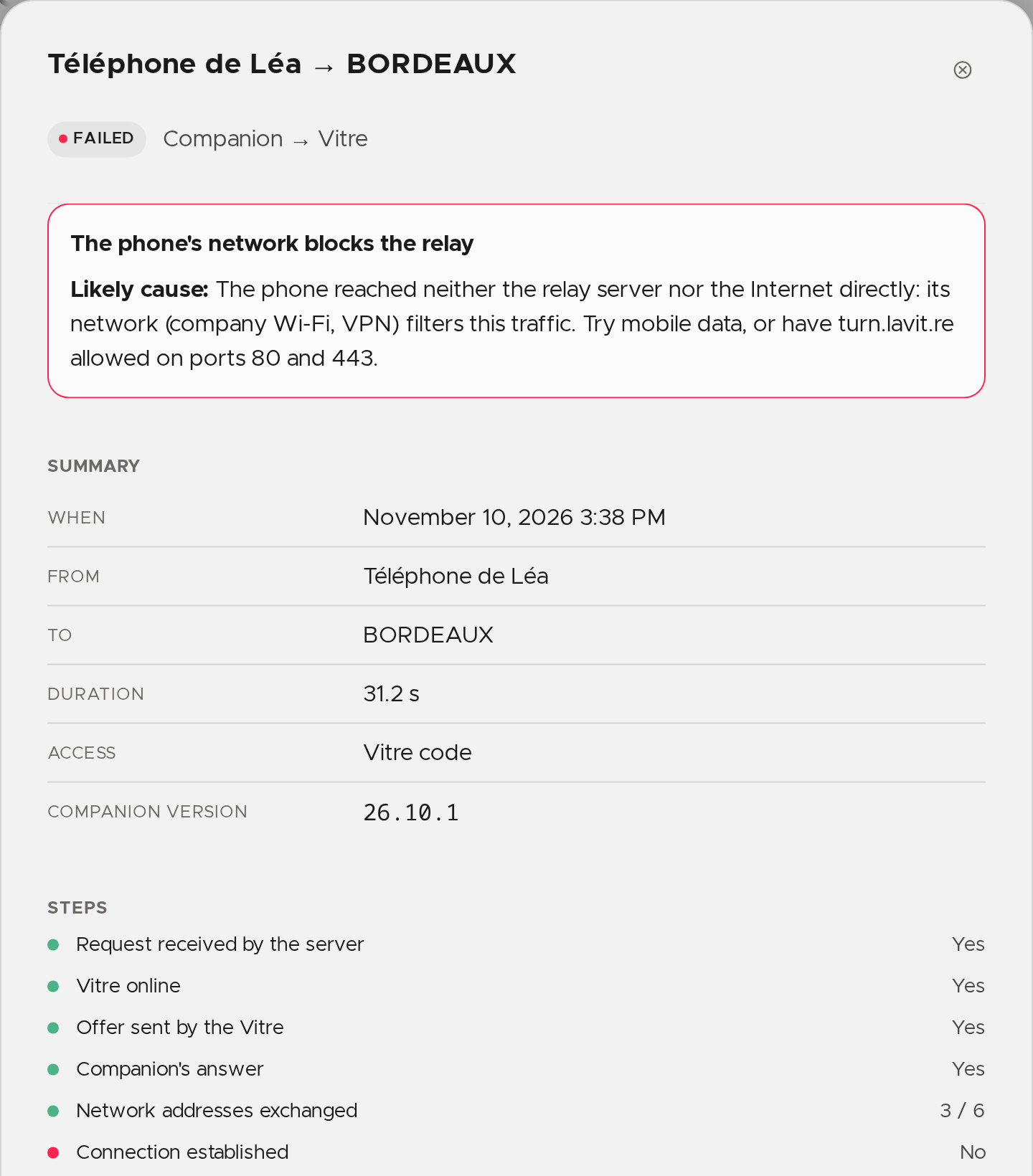
From this window, See this Vitre's connections keeps only that Vitre's connections, and Open the Vitre's page opens its page.
The most frequent reasons
- Expired or unknown code: the code changes regularly. Scanning the QR code shown on the Vitre again is enough.
- The Vitre was offline: check that it is on and connected to the network.
- The phone's network blocks the relay and The Vitre's network blocks the relay: the network filters the relay server. Have
turn.lavit.reallowed on ports 80 and 443, or try mobile data on the phone. - Access denied: sign-in required: the person must sign in to their la Vitre account in the companion, then try again.
💡 A Vitre that often drops from la Vitre servers also shows in Insights, on the Network tab.
✨ Missing information?
This Help Center evolves with your needs.Let us know which terms, features, or use cases should be clarified, or contact support for personalized assistance.
Bringing you closer to what matters. We are enriching this resource together.