Primary and secondary mode
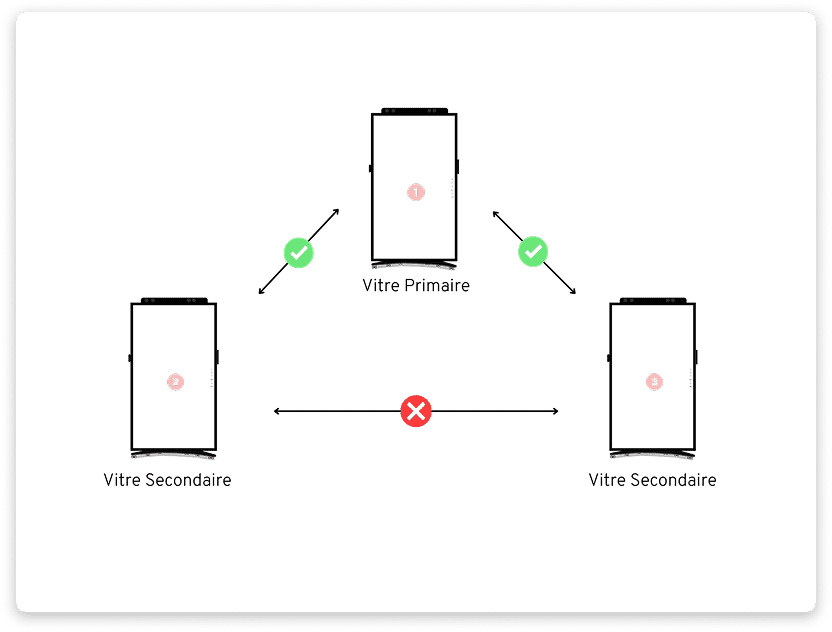
✨ The primary/secondary mode organizes your exchanges around a central point. A primary Vitre communicates individually with multiple secondary Vitres, which cannot see each other.
Ideal for commercial networks, multi-site training, or centralized support, for example.
Standard principle of your Vitres.
- In standard mode, all Vitres in the same space can see each other, hear each other, and share the same elements.
- Each Vitre can switch to "Open", "Shh", or "Confidential".
-
Any action on one Vitre applies to the others reciprocally.
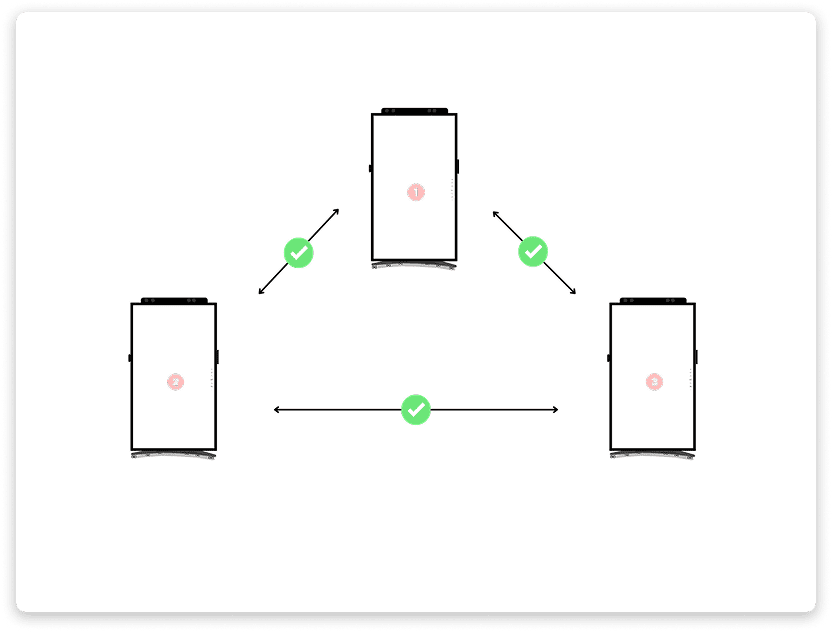
What the primary / secondary mode changes
- The Vitres remain in the same space.
- The primary Vitre is the "master": it has access to all features and sees all Vitres.
-
Secondary Vitres cannot see each other. They only see the primary and may have limited features.
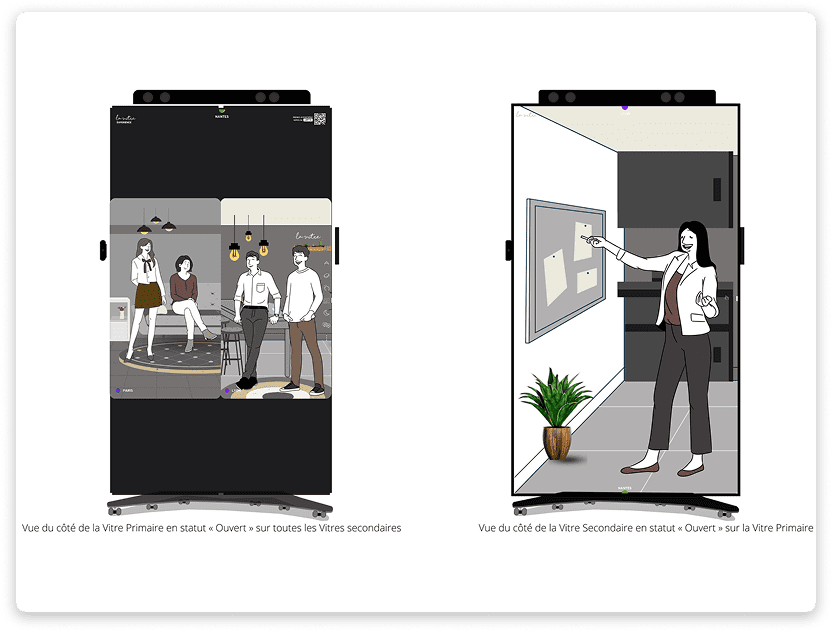
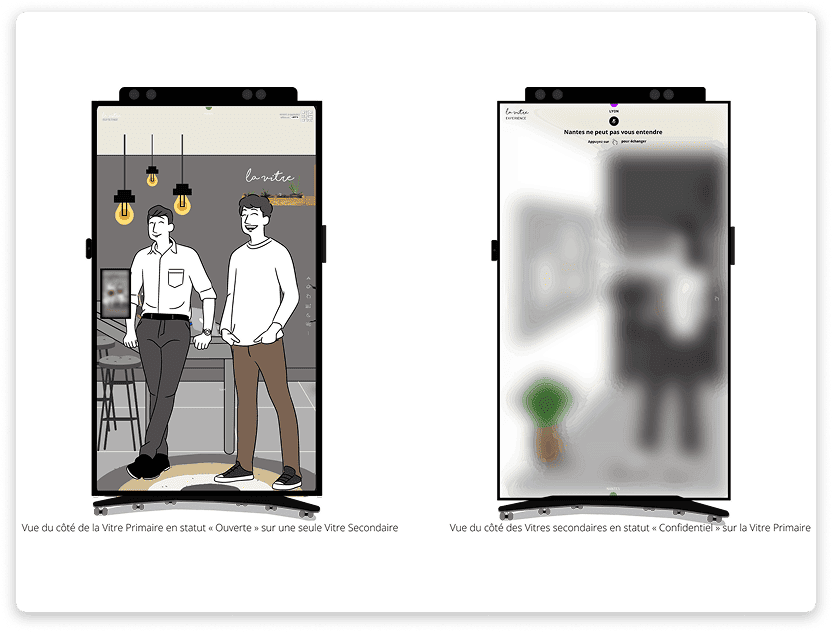
How the primary Vitre addresses the others
- Grid view: the primary is "Open" for all secondary Vitres.
- Full screen on one secondary: "Open" for that one and "Confidential" for the others.
How to activate this mode?
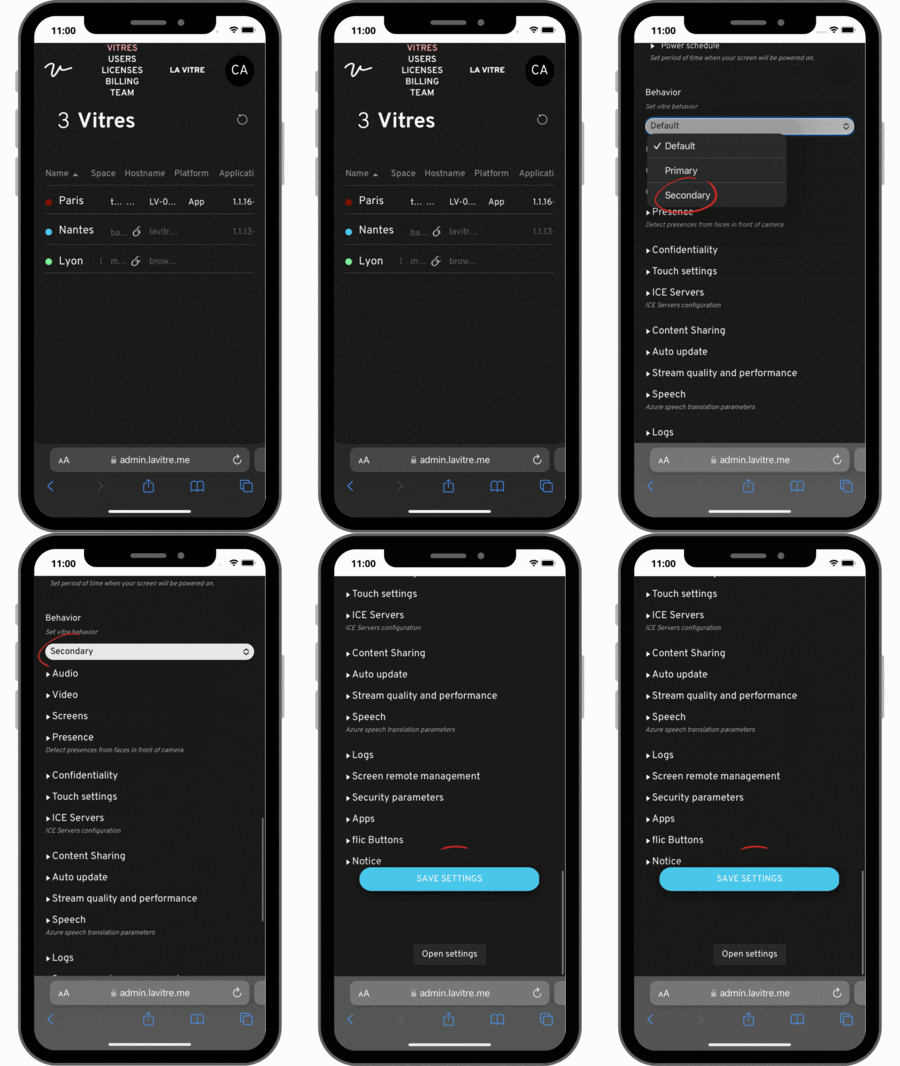
- Log in to the administrator account. Open the advanced settings of the Vitre to be defined as primary. In the "Behavior" tab, choose "Primary". Save.
- Choose the secondary Vitres. For each one, in their respective advanced settings, open the "Behavior" tab, select "Secondary", then save.
-
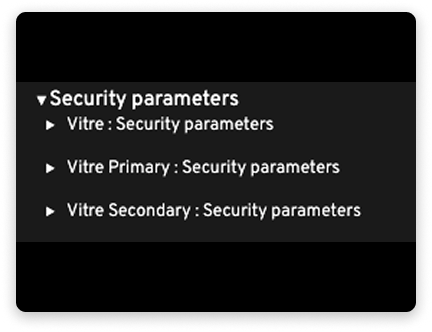
Administrators can choose which features appear on primary and secondary Vitres in "Security parameters"
-
Restart all the Vitres you have modified from the "three dots" menu of a Vitre or from the administration portal.
✨ Missing information?
This Help Center evolves with your needs.Let us know which terms, features, or use cases should be clarified, or contact support for personalized assistance.
Bringing you closer to what matters. We are enriching this resource together.