The Tableau
✨ The Tableau brings your standalone screen closer to la Vitre.
Simple and wireless. Connect your screen to la Vitre in just a few clicks, without cables or complex setup.
What is Tableau?
The Tableau is a web application designed to pair a standalone screen with your la Vitre.
Access the Tableau at https://tableau.lavitre.me/ from any device capable of connecting to the internet independently: Cisco interactive displays, Surface Hub, or any other standalone device.
Once paired, you share your content from the Companion, and the Tableau displays it on your secondary screen. You maintain the natural la Vitre experience, enhanced by a second screen, and the content becomes visible on both sides in real time.
Use cases
Meetings and training sessions. Share your computer screen, a document, a presentation. All participants see the content on each connected la Vitre.
Workshops and brainstorming. Show live changes made to a project, the evolution of collaborative work on Miro, Figma, or the Office suite.
Product demonstrations. Present your mockups, creations, and prototypes with a large-format shared display.
How it works
Step 1
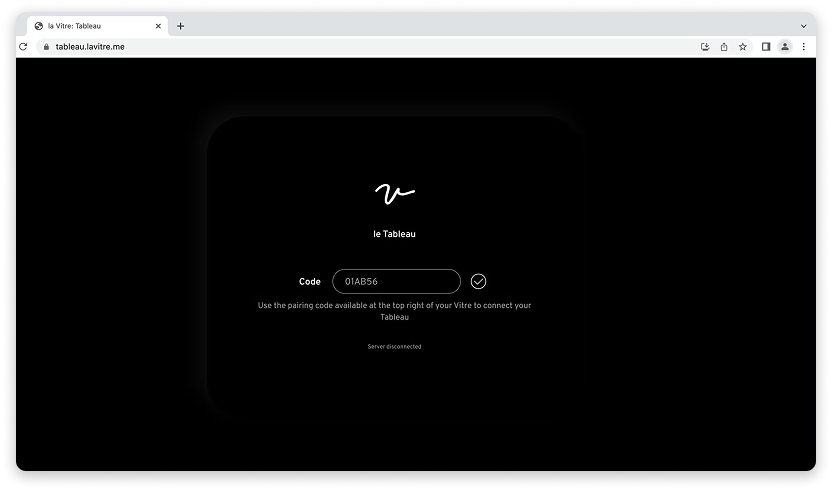
Open the Tableau web application in your secondary screen's browser: https://tableau.lavitre.me/

Step 2
Pair your device with la Vitre by entering the pairing code displayed in the top right corner of the screen. It's the same code used for the Companion.
Step 3
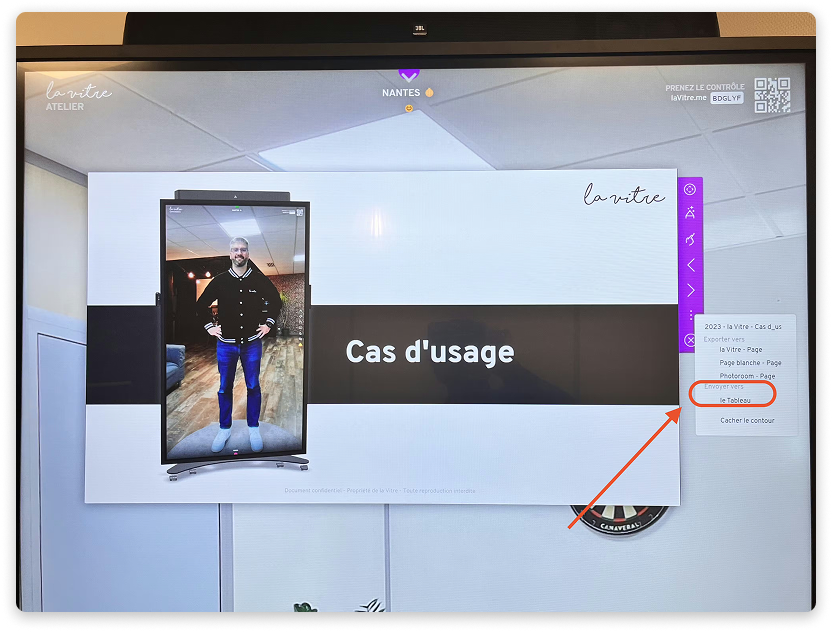
Share a file on la Vitre from your Companion, then send it to the secondary screen via the "three dots" menu available in the shared file tab.
Important points
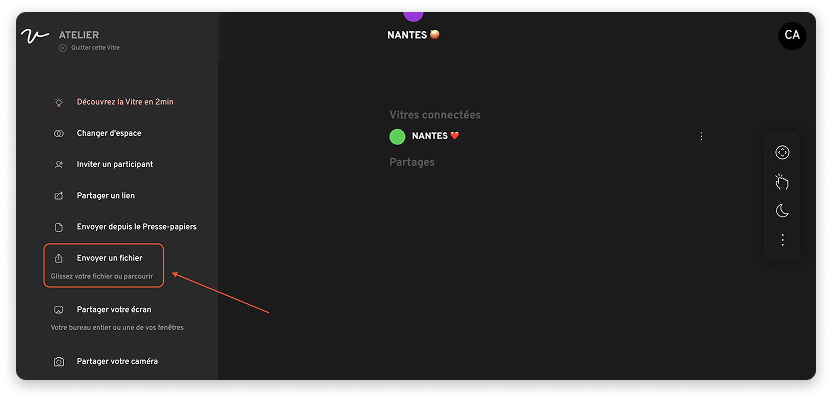
To share the file from the Companion, drag and drop it or use the "Send a file" button to browse your folders.
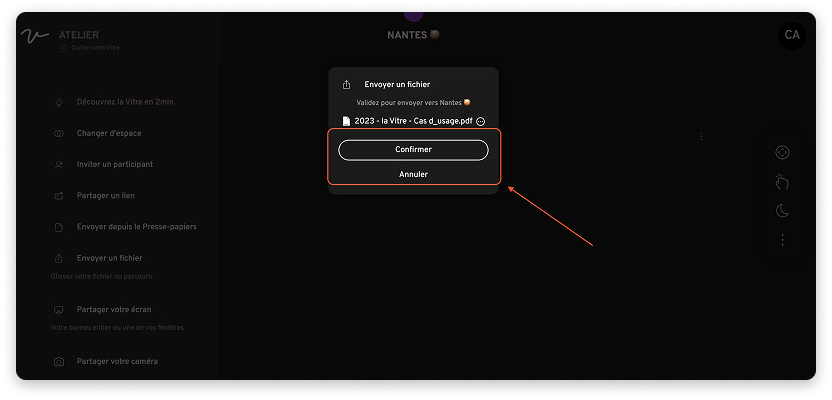
Select the file to share and confirm sending it to la Vitre.
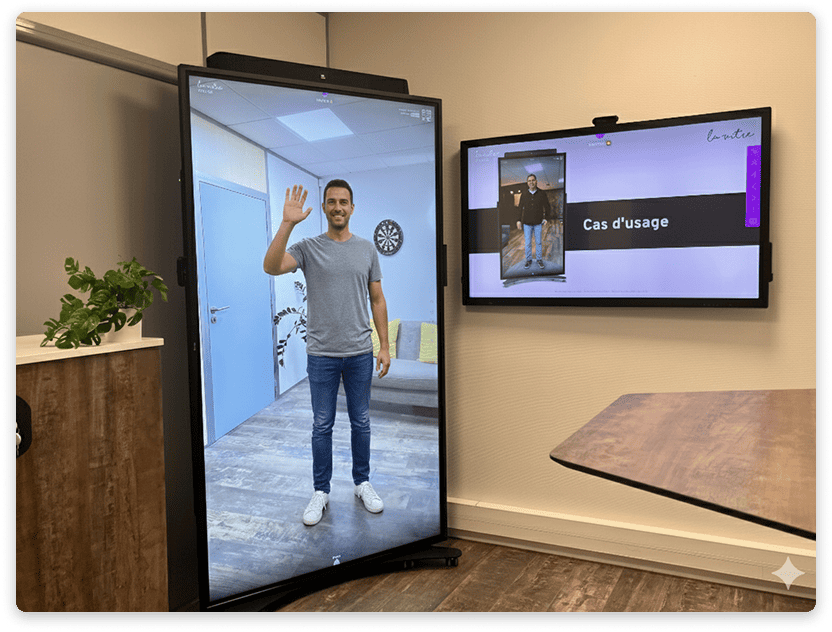
Tip: Once sent to the secondary screen, double-tap the file to display it in full screen.
✨ Missing information?
This Help Center evolves with your needs.Let us know which terms, features, or use cases should be clarified, or contact support for personalized assistance.
Bringing you closer to what matters. We are enriching this resource together.