Add an app
Add your business applications or tools that your team uses to access them directly on la Vitre. Figma, YouTube and Miro are already available, for example.
You can find all your applications in the three-dot menu.
How to add an application to la Vitre
- Open the administration portal admin.lavitre.me, then go to your Vitre list.
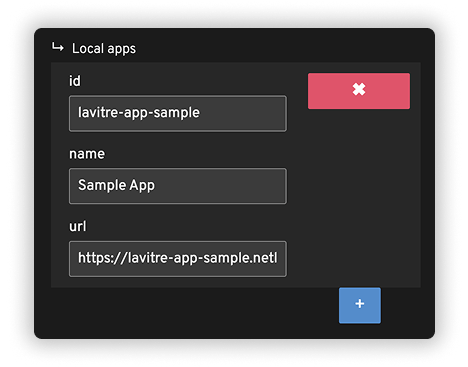
- Click on the line of the Vitre concerned, then access the advanced settings "Apps > Local Apps".
- Click on the blue plus sign to add a new application, then fill in the fields:
- ID: unique identifier of the application. Use the same ID if you add it to several Vitres.
- Name: the name that will be displayed in the menu.
- URL: connector address. Example: http://lavitre-app-sample.netlify.app
- Save your changes and restart la Vitre.
✨ Missing information?
This Help Center evolves with your needs.Let us know which terms, features, or use cases should be clarified, or contact support for personalized assistance.
Bringing you closer to what matters. We are enriching this resource together.