Notice
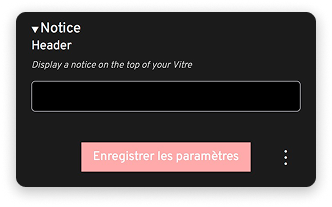
Write a short message that will display in a banner at the top of la Vitre.
What is the notice for?
The notice allows you to display a permanent message at the top of la Vitre screen. This banner is visible to all users of your Vitre.
This feature is particularly useful for:
- Inform about video surveillance: comply with GDPR obligations by signaling that the area is filmed
- Remind usage rules: safety instructions, schedules, specific protocols
- Communicate important information: ongoing work, planned maintenance, temporary changes

Notice examples
For GDPR compliance:
- "This video stream is broadcast live, no data is recorded."
- "Filmed area, not recorded. Your data is processed in accordance with GDPR."
For usage rules:
- "New: try Speaker mode for your presentations!"
- "Welcome! For any questions, contact reception."
- "Collaborative space available from 8am to 8pm. Remember to activate the Moon when leaving."
For temporary information:
- "Scheduled maintenance on 02/15 from 2pm to 4pm. Service temporarily unavailable."
- "In case of technical problem, contact support at 01 23 45 67 89."
Writing tips
- Be concise: the banner should remain discreet and not interfere with use
- Stay informative: prioritize essential information
- Update regularly: remember to remove obsolete notices
✨ Missing information?
This Help Center evolves with your needs.Let us know which terms, features, or use cases should be clarified, or contact support for personalized assistance.
Bringing you closer to what matters. We are enriching this resource together.