Set up the team's storage
✨ The Storage screen declares your team's object storage, an S3-compatible bucket or an Azure Blob container, which hosts the apps deployed for it. The storage stays yours: la Vitre only reaches it with the credentials you enter here.
Once the storage is set up, the screen shows its settings and the result of the last connection test.
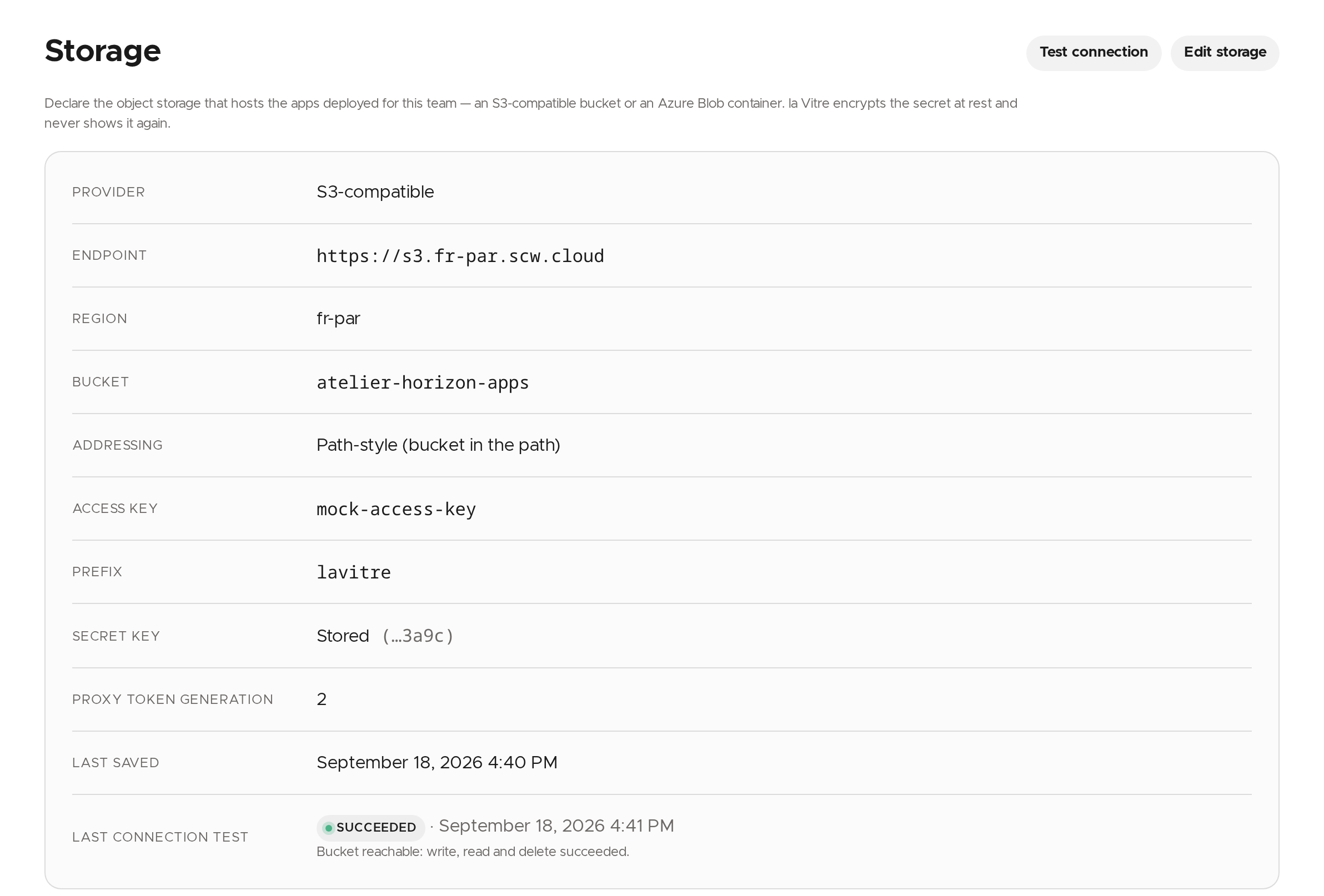
Set up the storage
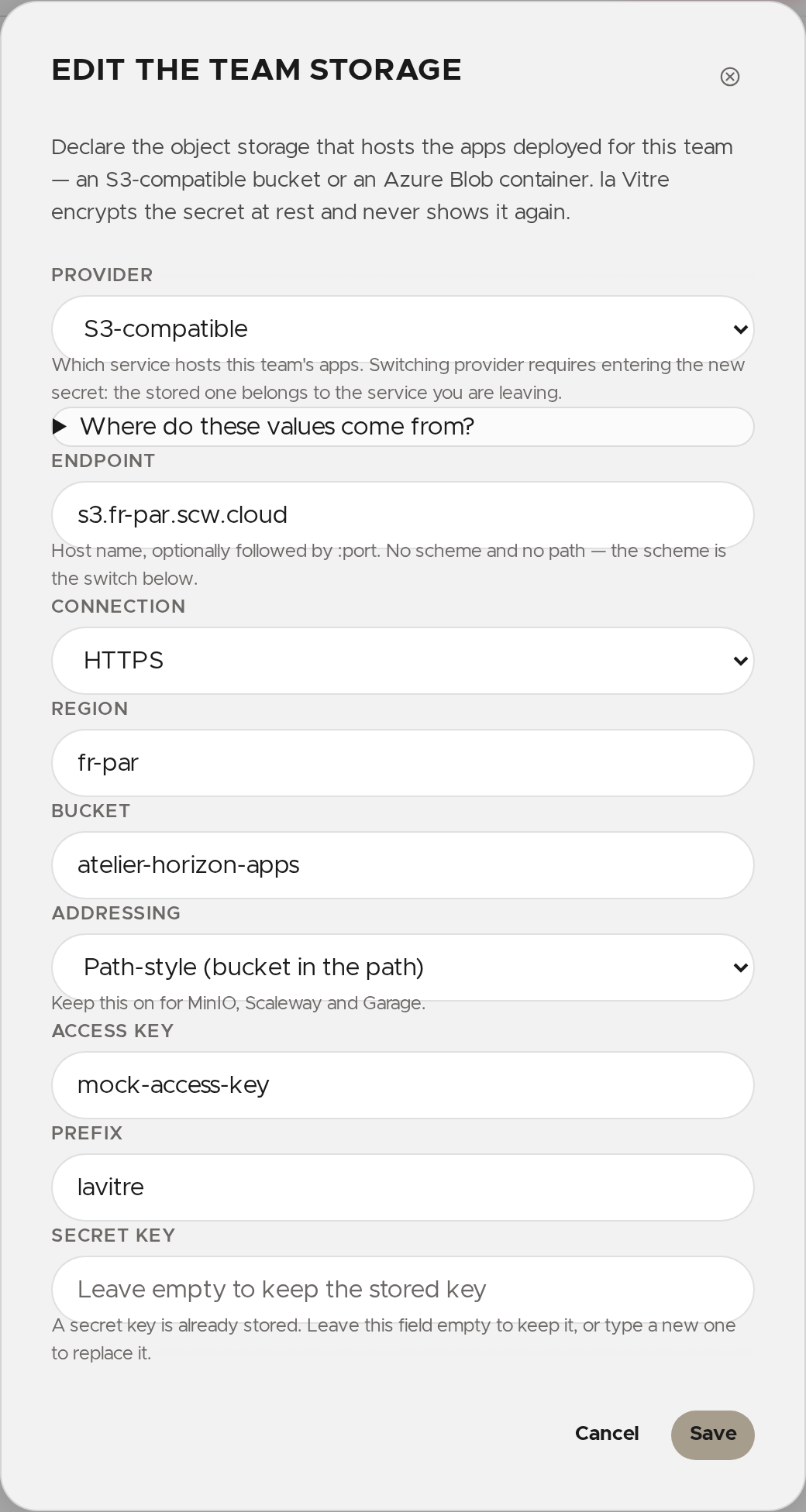
- At your provider, create a bucket (or an Azure storage account and a container) and keep it private. Then create an access key limited to that bucket. The Where do these values come from? fold-out in the window details these steps for each provider.
- Click Configure storage.
- Choose the Provider: S3-compatible or Azure Blob Storage.
- Fill in the fields. The Prefix is optional.
- Enter the secret (the Secret key for S3), then click Save.
The secret is encrypted at rest and never shown again: the screen only says it is stored, with its last four characters.
Edit the storage
Click Edit storage. Leave the secret field empty to keep the stored one. If you change the provider, the sign-in mode, the account, the endpoint or the access key, you must enter the secret that goes with the new credential.
Test the connection
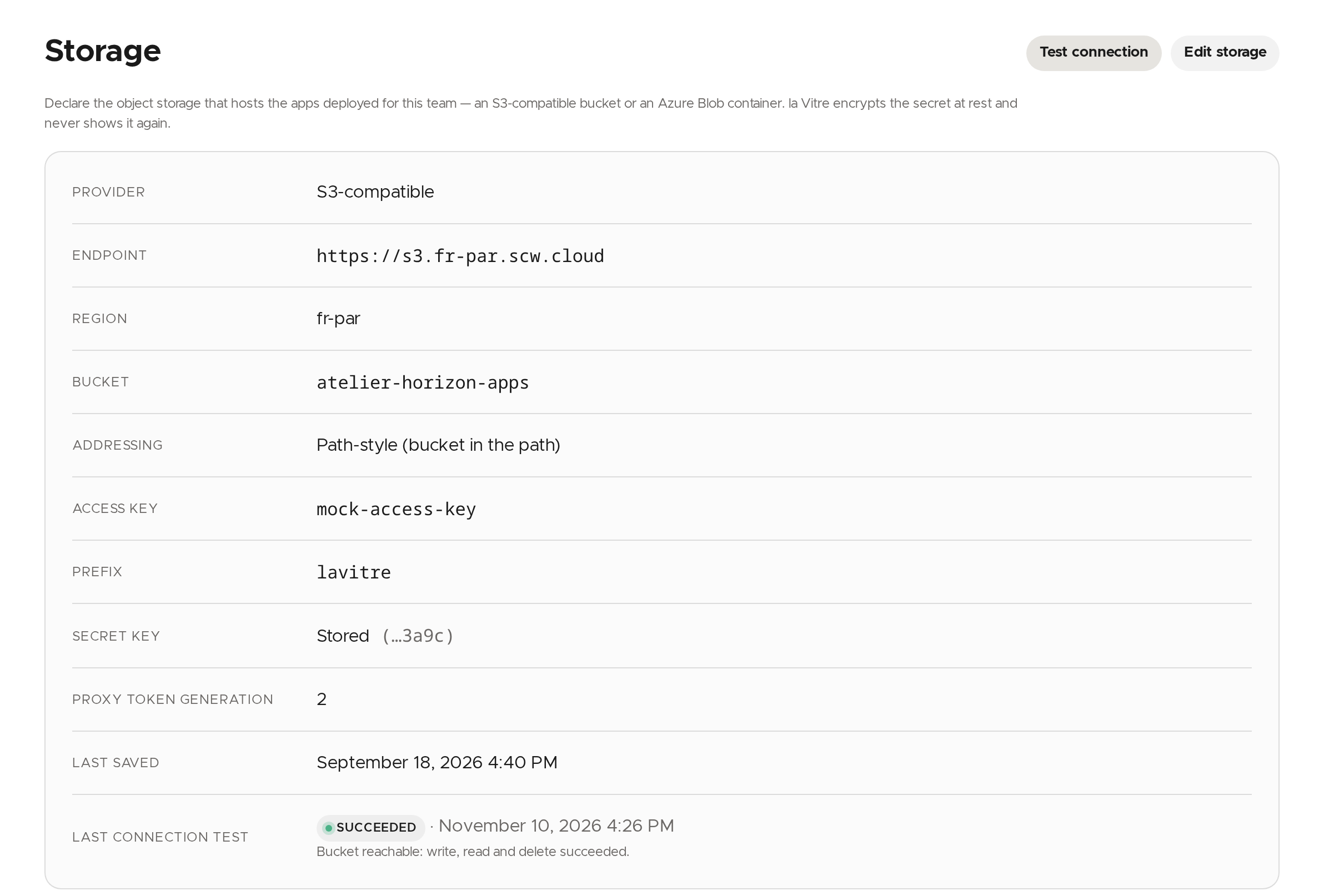
Click Test connection. The result and its date show in Last connection test, with the message the storage returned.
Rotate the proxy token or remove the storage
These two actions, under Irreversible actions, ask for confirmation.
- Rotate proxy token: every app URL already published stops working until it is published again.
- Remove storage: the stored keys are deleted and apps already published from this bucket stop being served.
✨ Missing information?
This Help Center evolves with your needs.Let us know which terms, features, or use cases should be clarified, or contact support for personalized assistance.
Bringing you closer to what matters. We are enriching this resource together.